Free stem splitter

Stem splitter: General introduction
A stem splitter (or AI stem separator) is an AI tool that takes a full stereo track and breaks it into individual music stems, such as vocals, drums, bass, and instruments. Stem splitters can be used to separate vocals from a song, isolate instruments to create karaoke versions, generate AI stems for DJs, make remixes, or sample drums for your own creations. With the rise of advanced large AI models, vocal remover tools and music stem splitter tools have become extremely accurate, producing clean stems even from older or heavily mixed tracks. Any music producer can now access high-quality stems, allowing for faster workflows, easier experimentation, and more freedom to create without spending hours manually cutting or filtering audio. You can try Audimee’s stem splitter and vocal remover for free.
What are "STEMS"?
In music production, stems are partial mixes or grouped audio elements exported from a DAW (Digital Audio Workstation), a type of music production software. Instead of having one full mix, stem splitters break the full mix into pieces like
Vocal stem – all lead vocals and backing vocals
Drum stem – kicks, snares, percussion, and cymbals
Bass stem – basslines and low-end elements
Piano/Keys stem – piano, electric keys (Rhodes, Wurlitzer), and organ
Guitar stem – electric and acoustic guitars (rhythm and lead)
Synth stem – pads, plucks, arps, and synth leads
There are many other stem types depending on the genre and the project, such as string stems, FX stems, or orchestral stems, but the examples above are among the most commonly used in modern music production.
Audimee's online stem splitter currently allows users to extract vocals, drums, bass, and “other” stems, where the other stem contains all musical parts that are not vocals, drums, or bass.
Stems are not the same as individual tracks. A multitrack project might contain 40 or more separate audio tracks, which are then grouped into just a few stems based on their musical role.
Why do producers need stems?
Stems give music producers enough control to remix or rearrange a song without needing the full session project. With modern AI stem splitter technology, even songs without released stems can be separated, letting creators study, sample, or remix songs from any era of music.
This level of control to isolate vocals, remove drums, or pull out a bassline fuels creativity, experimentation, and even entire genres. Sampling, for example, has always been the backbone of electronic, hip-hop, and dance music. When you have stems instead of a fully mixed track:
You can take just the vocal and add new production.
You can grab a drum groove without the melodic interference.
You can rework a bassline into a new context.
This ability is what has made artists like Daft Punk and Skrillex so influential.
Difference between stem splitter and isolate vocals?
Unlike Audimee's Isolate vocals tool, a stem splitter doesn’t focus only on vocals; it also separates other layers, like the drums and the bass layer. The Isolate Vocal feature can also be used for remove backing vocals, reverb and delay, and background noise from the vocal.
Daft Punk: Masters of sampling
Daft Punk built many of their legendary tracks by sampling from a wide array of old disco, funk and soul records. Tracks like "Harder Better Faster Stronger" — sampled from "Cola Bottle Baby" by Edwin Birdsong — rely heavily on the ability to isolate, chop, and manipulate parts of older songs.
If AI stem-splitting tools had existed back then, like the AI stem splitter, even cleaner samples would have been available to experiment with in the early stages of their career.

Daft Punk performing in 2013. Photo by Amiot via Wikimedia Commons (CC BY-SA 3.0)
Check out "Harder Better Faster Stronger" by Daft Punk:
Check out "Cola Bottle Baby" by Edwin Birdsong:
Skrillex: Stems in modern remixing
The iconic sound design of Skrillex thrives on deconstructing audio. Much of his early remixes relied on:
Stripping vocals from originals
Isolating melodies
Rebuilding the whole instrumental around a single vocal stem
In Skrillex's song "First of the Year (Equinox)" we can hear vocal chops in the break - a vocal sliced into short segments and rearranged to make a new melody - which were created by sampling a vocal sung by Skrillex himself from his previous musical alter ego. Admittedly, since he sang it, he most likely had access to his original vocal session, which made the process a lot easier, but who knows what could've happened if he hadn't? Tools like AI vocal removers make this process accessible to every producer. You won't have to wait for acapella leaks anymore or any special promo packs; now, you can create stems from almost any track, and who knows, maybe YOU can be the next Skrillex.

Photo of Skrillex via Atlantic Records
Check out "First of the Year (Equinox)" by Skrillex:
Check out "Equinox" by Sonny Moore (Skrillex's previous artist project):
Audimee's stem splitter
Ever since we introduced our Isolate Vocals feature, we knew it was only a matter of time before people started asking for a stem splitter. Now, with our stem splitter, you can separate a track into two layers (vocals and instrumental) or four layers (vocals, drums, bass, and other) with a single click.
Why choose Audimee's stem splitter?
Our state-of-the-art AI models are designed for clean, studio-quality separation, even on older or heavily mixed songs. After extraction, you can also refine vocals to remove reverb, echo, and background layers, or transform them into different voices and styles using our voice-to-voice conversion.
Audimee works directly in your browser, no downloads, plugins, or technical setup required. Just upload a track and download the stems.
Step-by-step guide to accessing Audimee’s free online stem splitter
Step 1: Navigate to Audimee homepage
Open your web browser (Google Chrome is recommended) and go to Audimee homepage.

Step 2: Login or Create an account
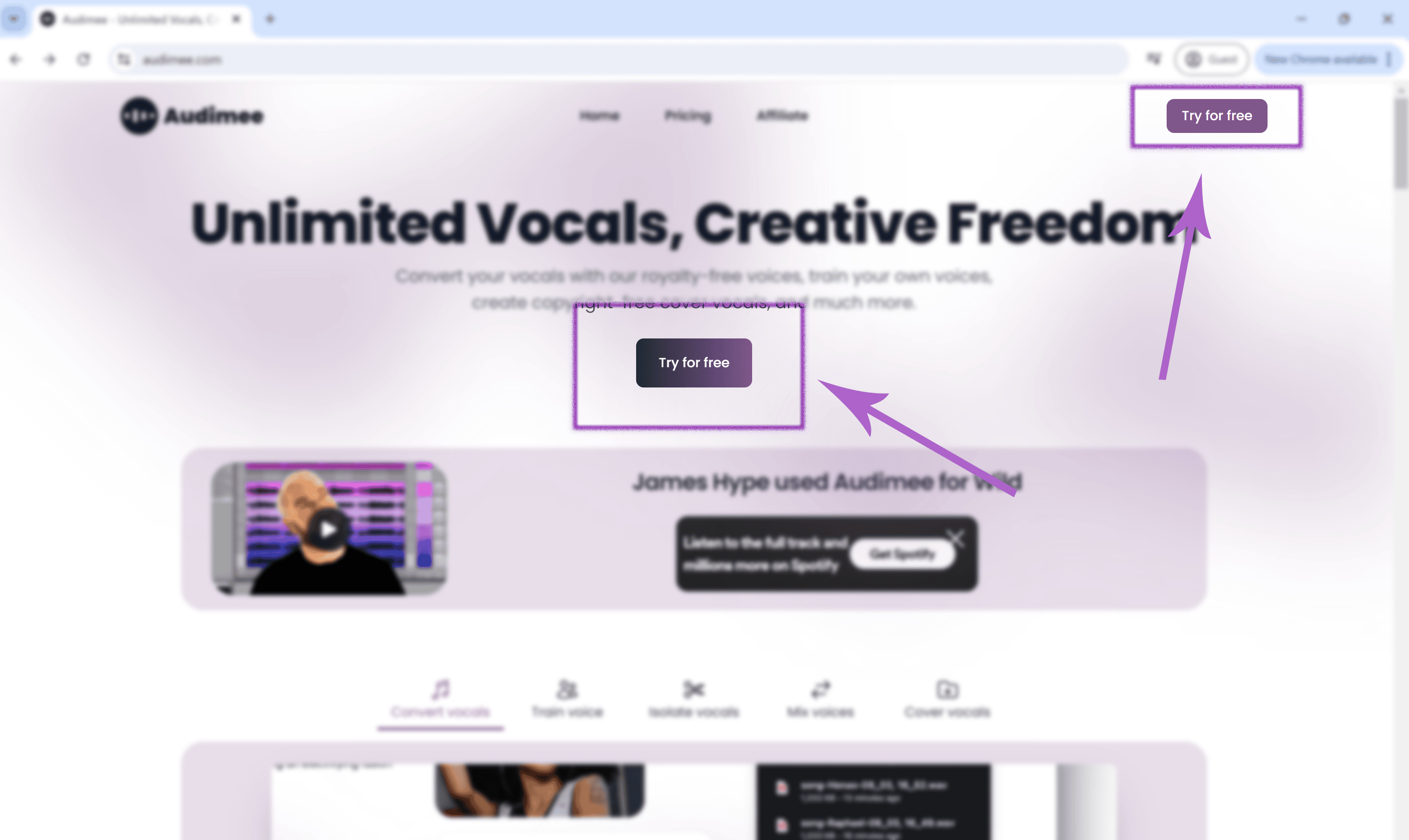
a. Click "Try for free." You will be directed to the AI vocal converter page, where you can access the online stem splitter.
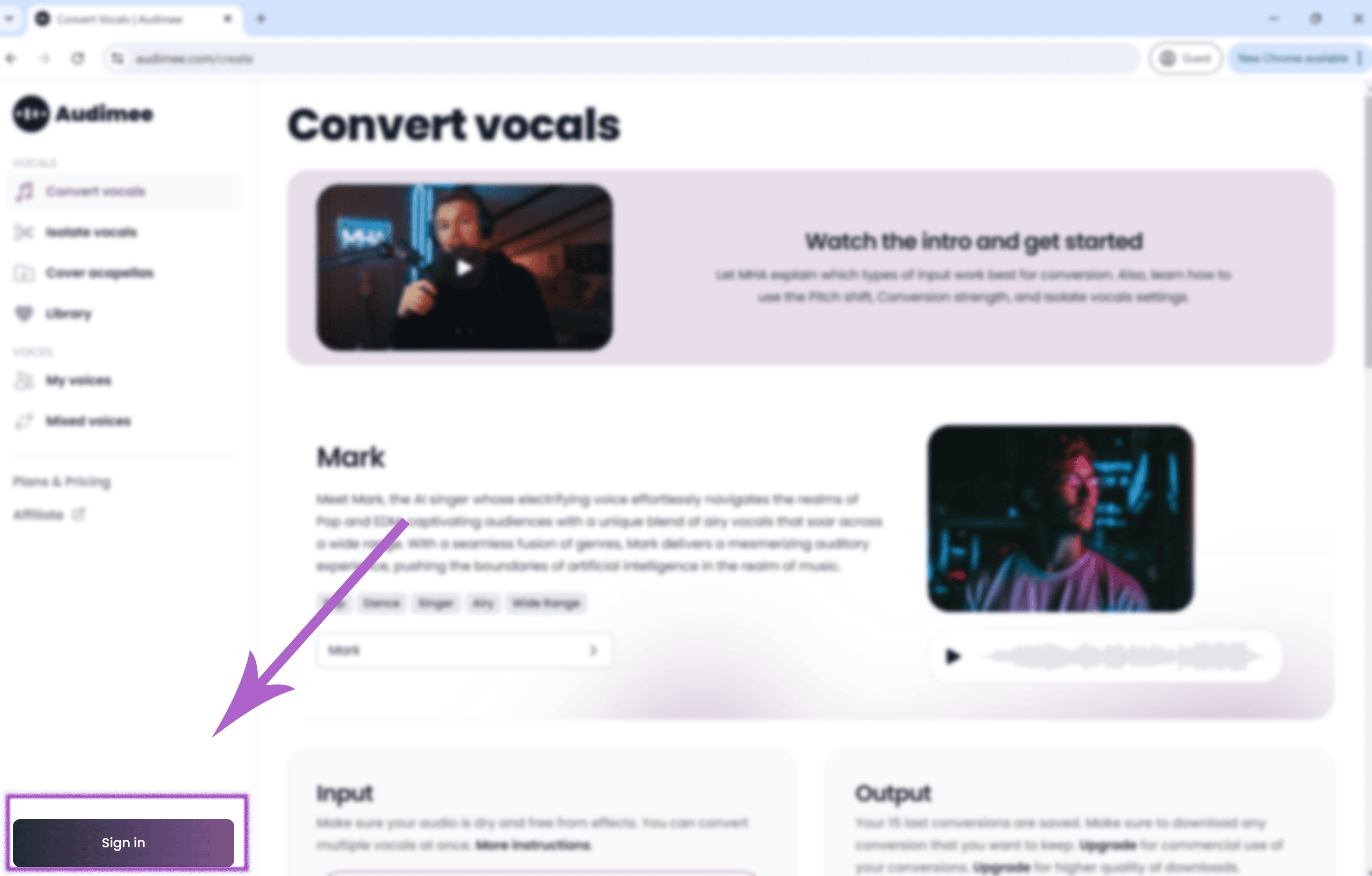
b. Click "Sign In." Log in to your existing account or create a new one.
Step 3: Access the stem splitter
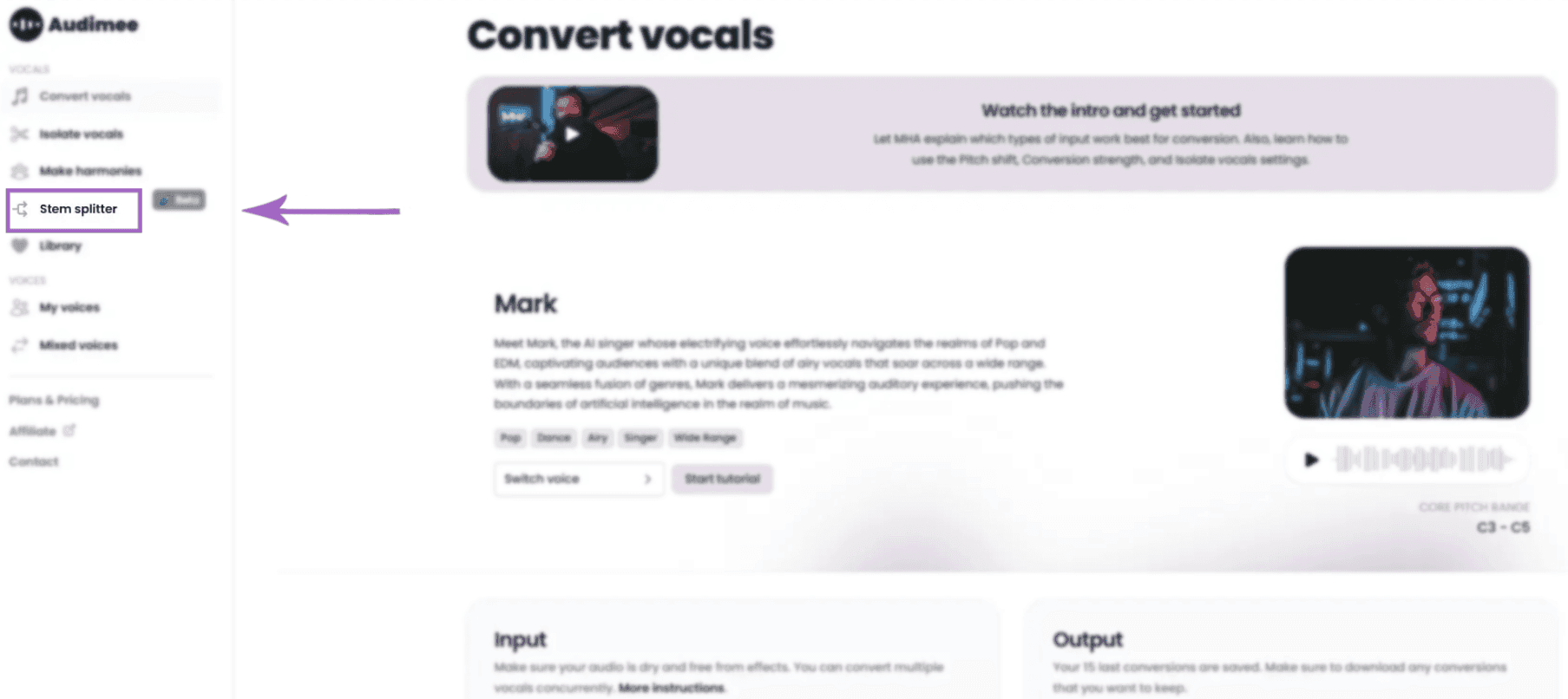
After logging in, you will be automatically directed to the AI vocals generator page. If not, click on "Stem splitter" in the upper left corner.
Step 4: Import your song
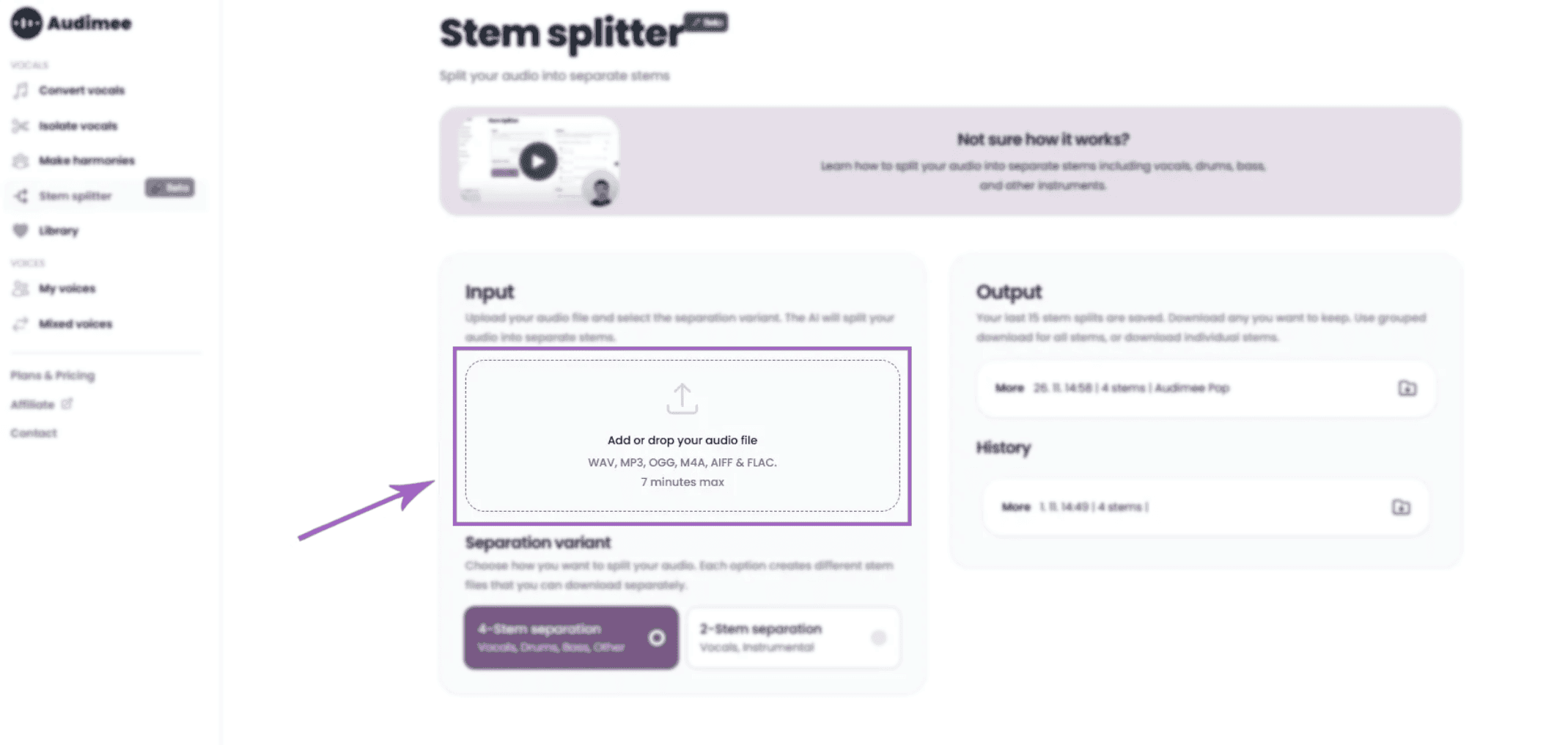
Scroll down and click "Add or drop your audio file" to import a song, or drag and drop it in.
Step 5: Select the right separation variant
Select how you want to split your audio. Each option generates different stem files you can download separately.
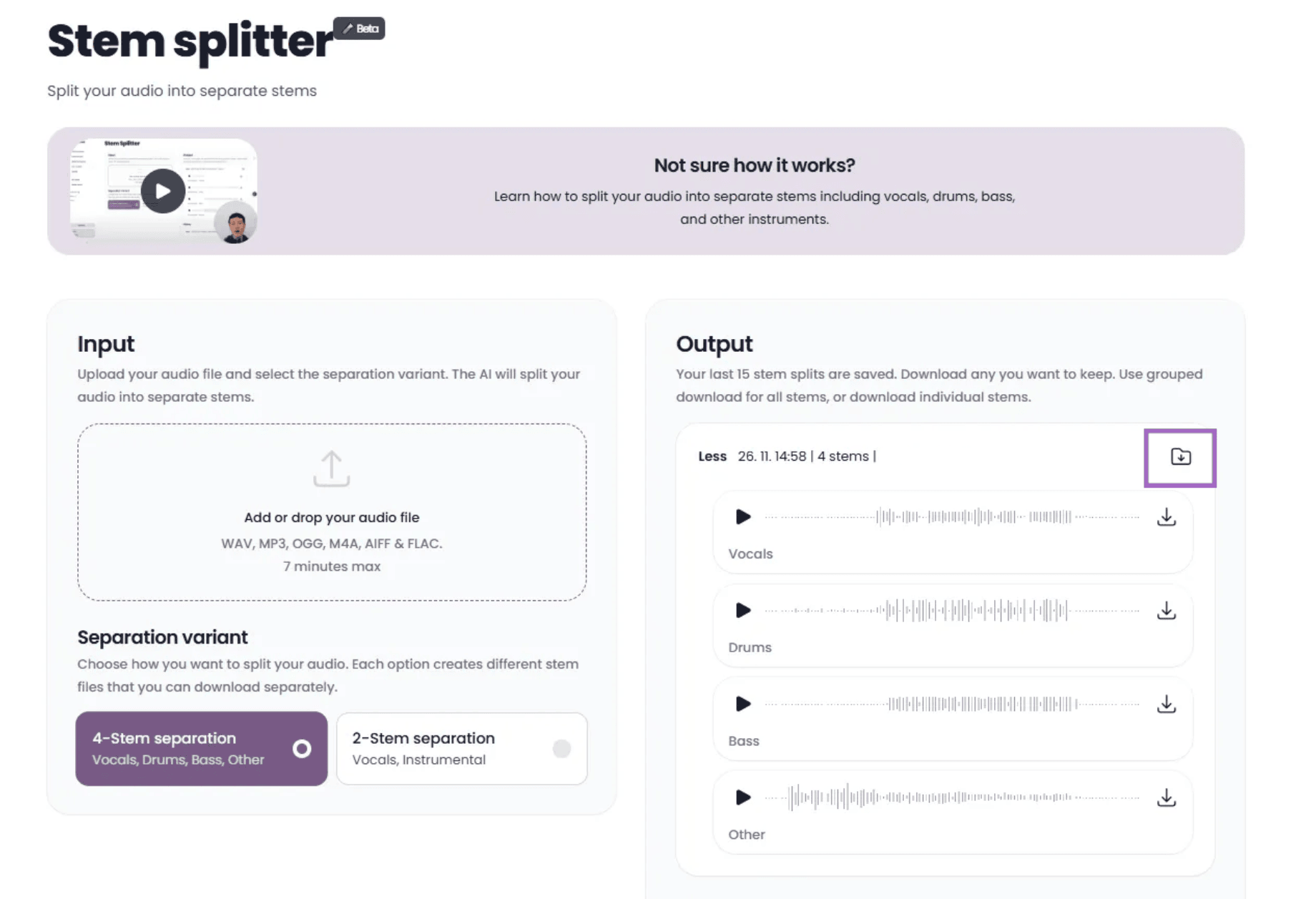
4-Stem separation – Select this to separate the input into four layers: Vocals, Drums, Bass, and Other.
2-Stem separation – Select this to separate the input into two layers: Vocals and Instrumental.
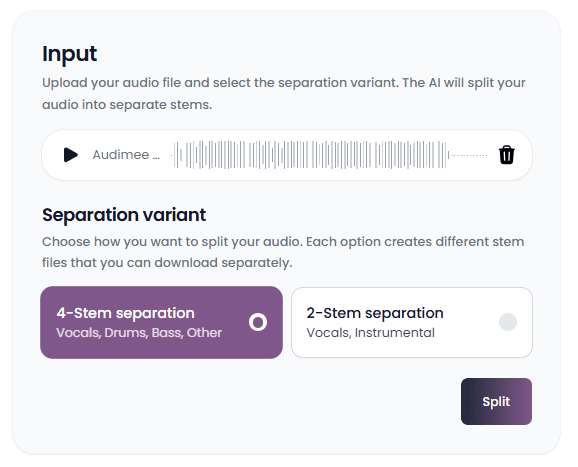
Step 6: Click on the "Split" button
Depending on the option you selected, our Stem splitter will split the input into different layers.
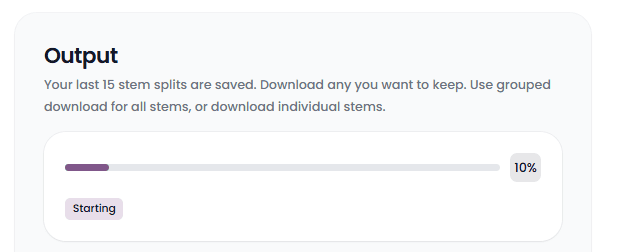
Step 7: Preview the stems
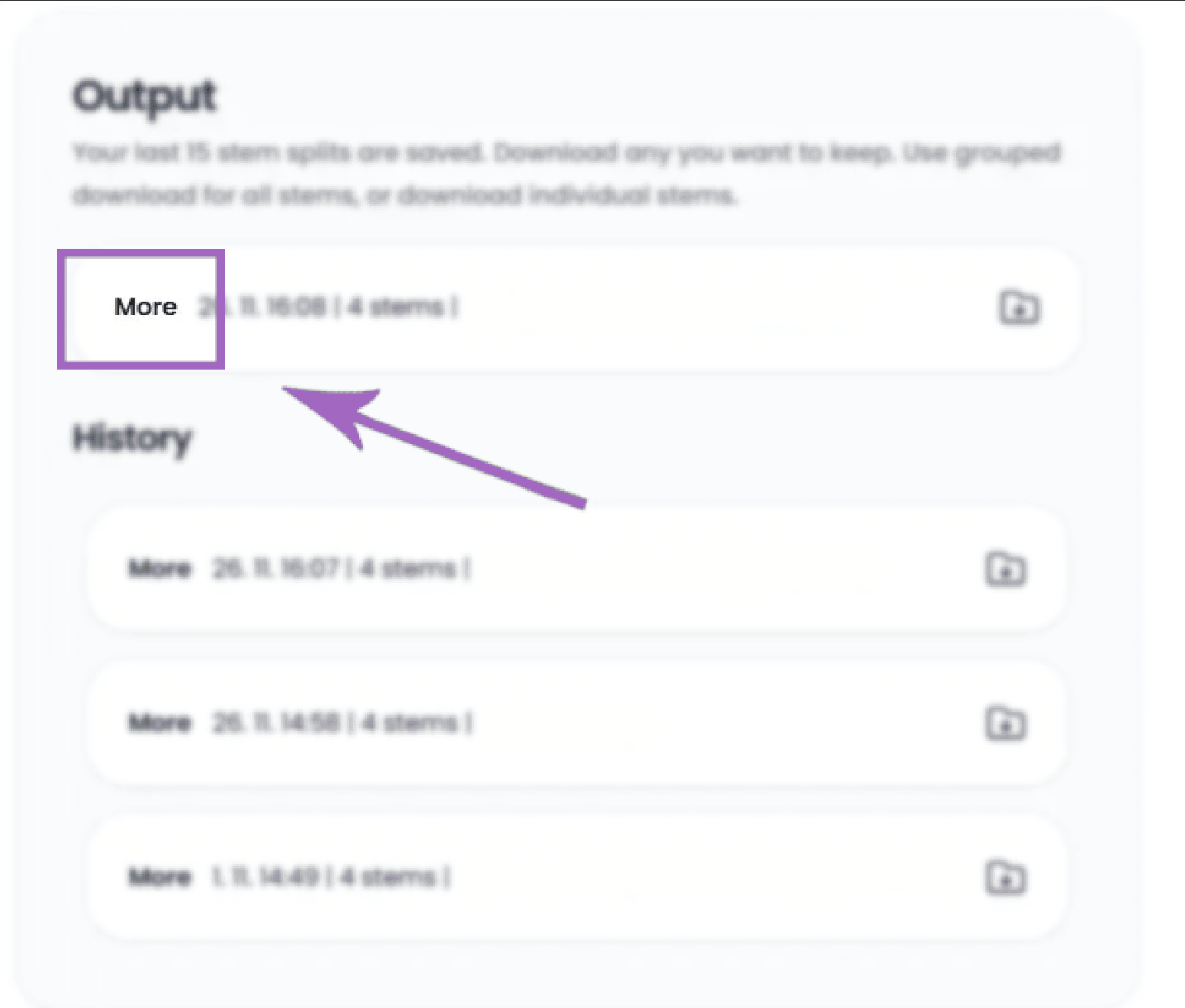
After the splitter finishes its job, you can click “More” to open a list of the separated stems.
After opening the "More" menu, you can preview and download the individual stems
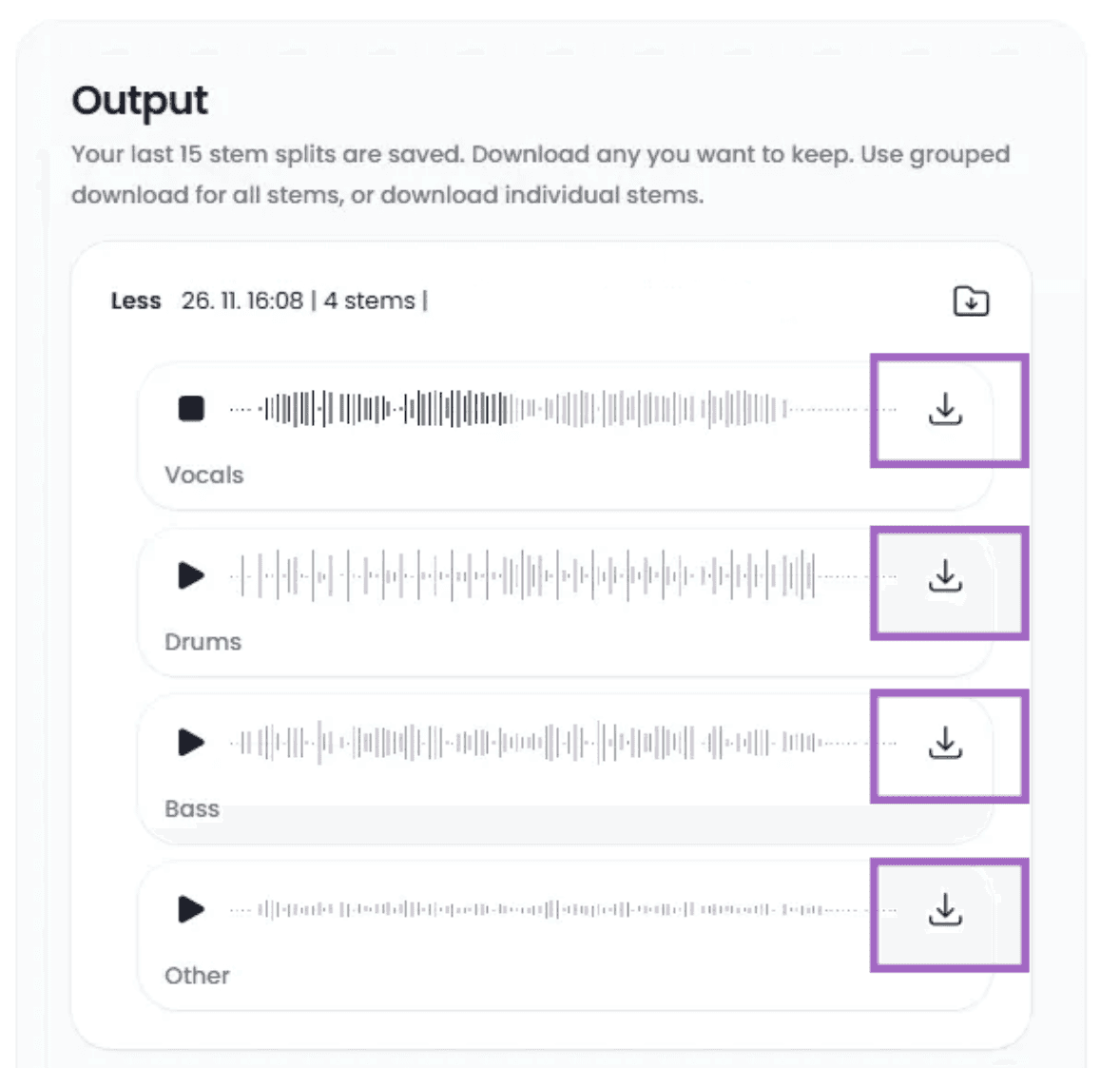
Step 8: Download the final results
Or download all stems with one click. A ZIP file will be generated containing the stems.
Free stem splitter
Separate vocals, drums, bass, and other stems from any track with Audimee's free online stem splitter.
Try the stem splitter →