Stem splitter
Split any song into clean, separate stems with Audimee's free AI stem splitter for remixing, karaoke, and music production.
Split your tracks →
Split your tracks into clean stems!
Use Audimee's stem splitter to separate any song into clean, reusable music stems like vocals, drums, bass, and instruments. With AI-powered stem separation, you can quickly extract high-quality stems from a full mix and use them in your workflow. This makes it easy to build remixes, create karaoke tracks, practice vocals, or rearrange songs without needing the original session files. Audimee's stem splitter is designed to preserve clarity and balance across stems, so you can isolate vocals or isolate instruments while keeping a natural sound. It runs directly in your browser with no downloads, plugins, or setup required. Just upload a track, split it, preview the results, and download your stems when they're ready. After extraction, you can also refine vocals to reduce reverb, echo, and background layers, or transform them into different voices and styles using voice-to-voice conversion.
How to use the stem splitter
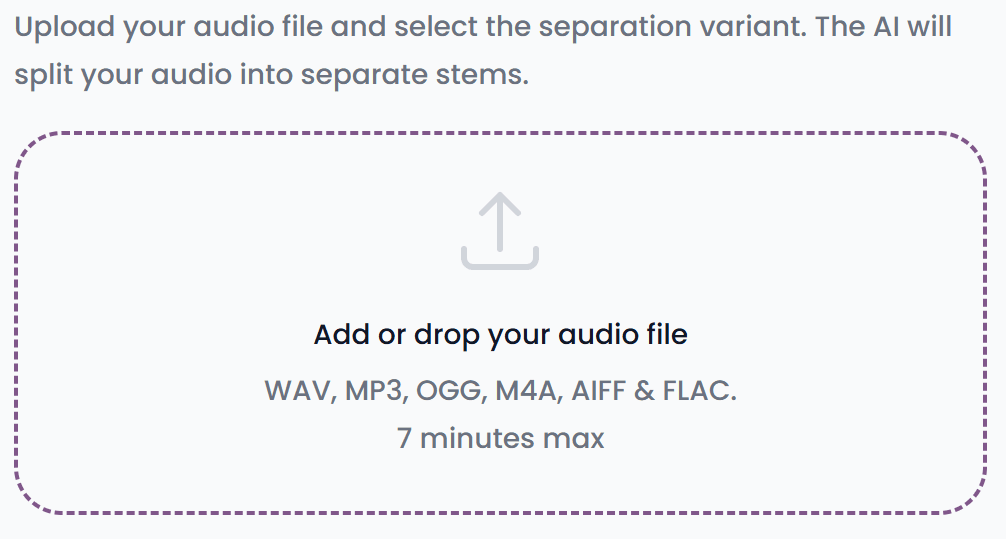
Step 1
Upload your track
Upload the track you want to split into stems.
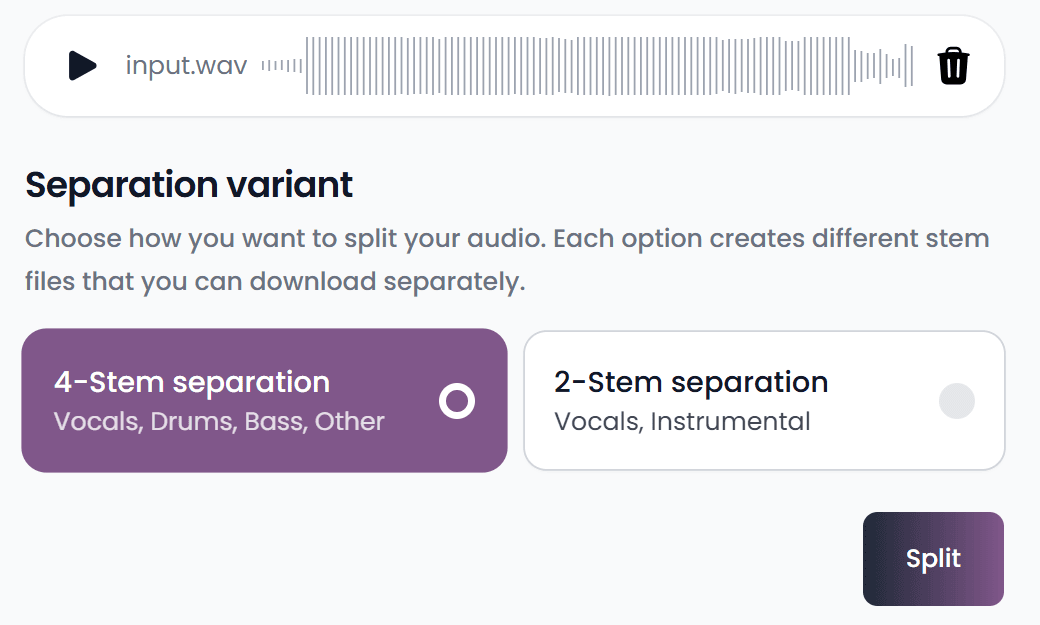
Step 2
Choose your stem splitting option
Choose the stem separation option you want. Right now, you can pick 2-stem separation for vocals and instrumental, or 4-stem separation for vocals, drums, bass, and other, then click Split.
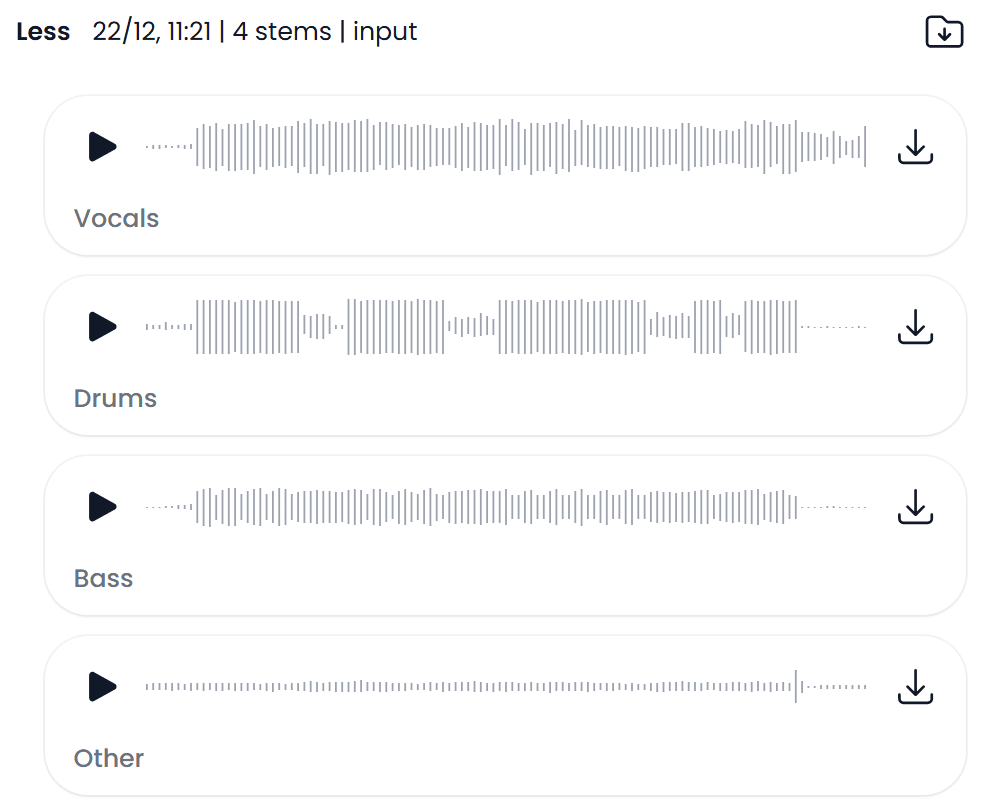
Step 3
Download your stems
After a few seconds, your stems will be ready. Preview them, then download individual stems or download everything at once as a ZIP.
Frequently asked questions
Stem splitter
Split any song into clean, separate stems with Audimee's free AI stem splitter for remixing, karaoke, and music production.